One inventory dataset.
Office. Warehouse. Truck. Vendor.
No more two separate parts ledgers. No more "the office count doesn't match the truck count." Platform inventory IS warehouse inventory — same on-hand counts, same reorder thresholds, same audit trail. Truck Inventory is included in every plan; Warehouse Pro adds the warehouse: receiving, returns, restocking trucks, the cross-truck Parts Locator and transfers.
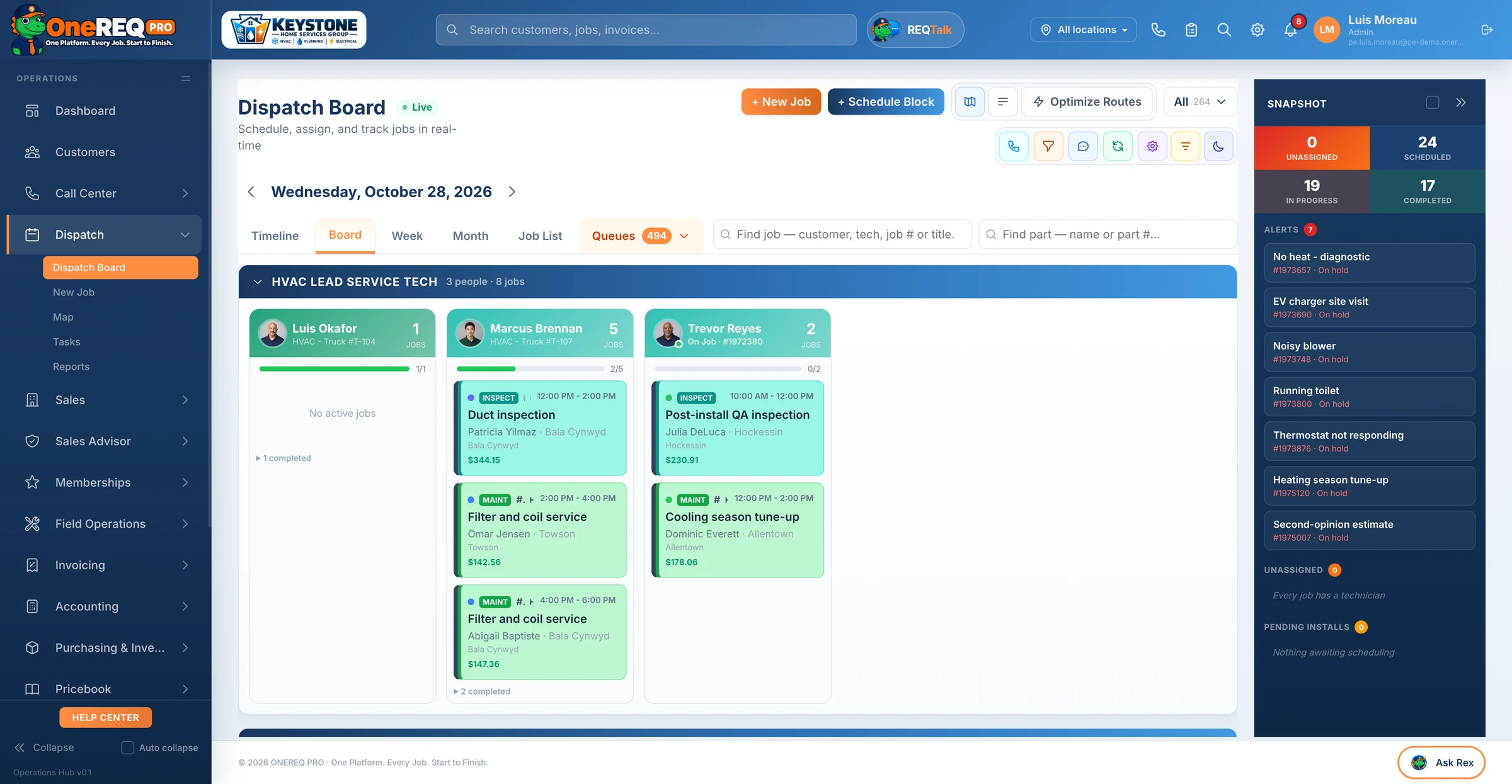
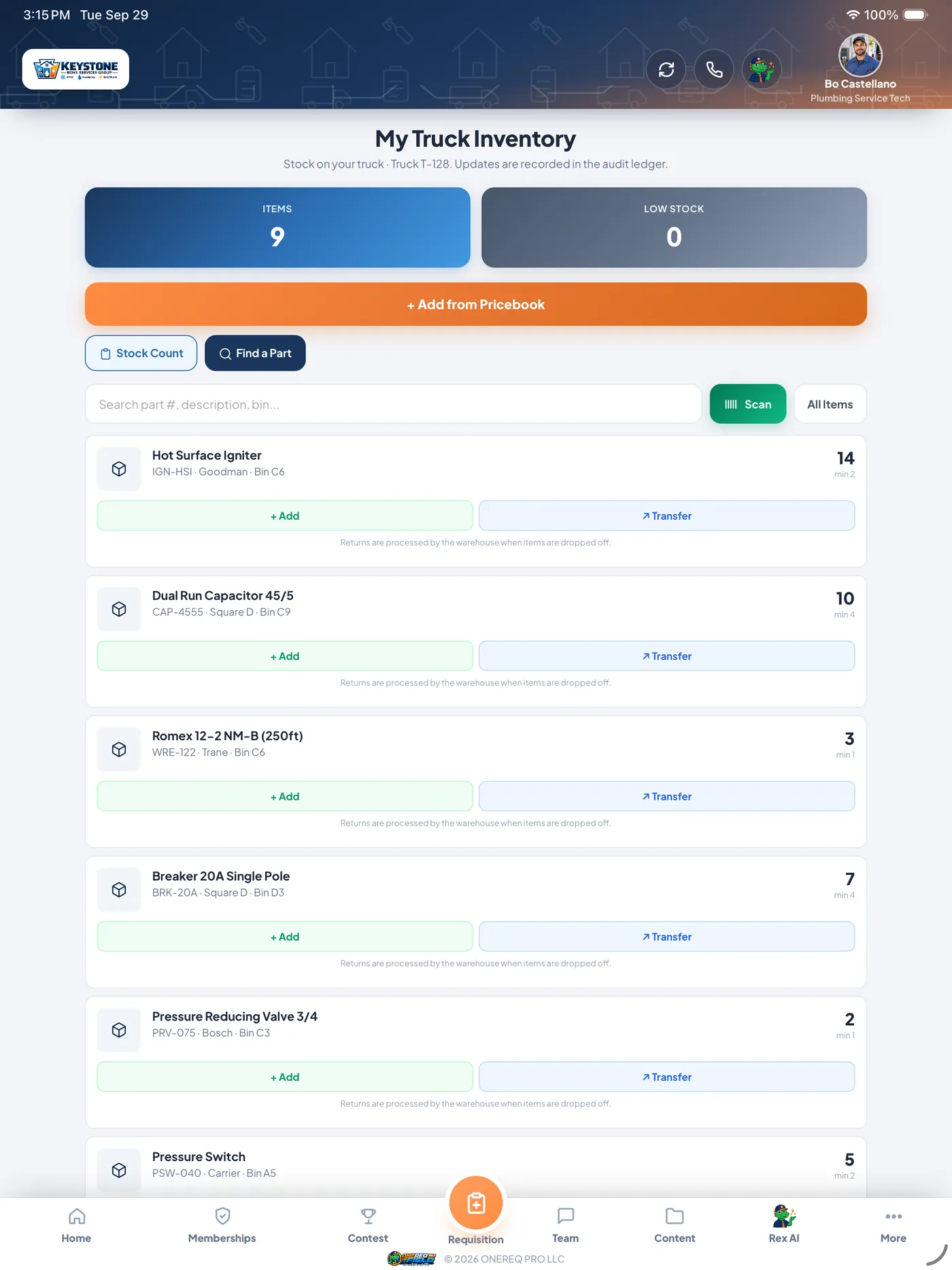

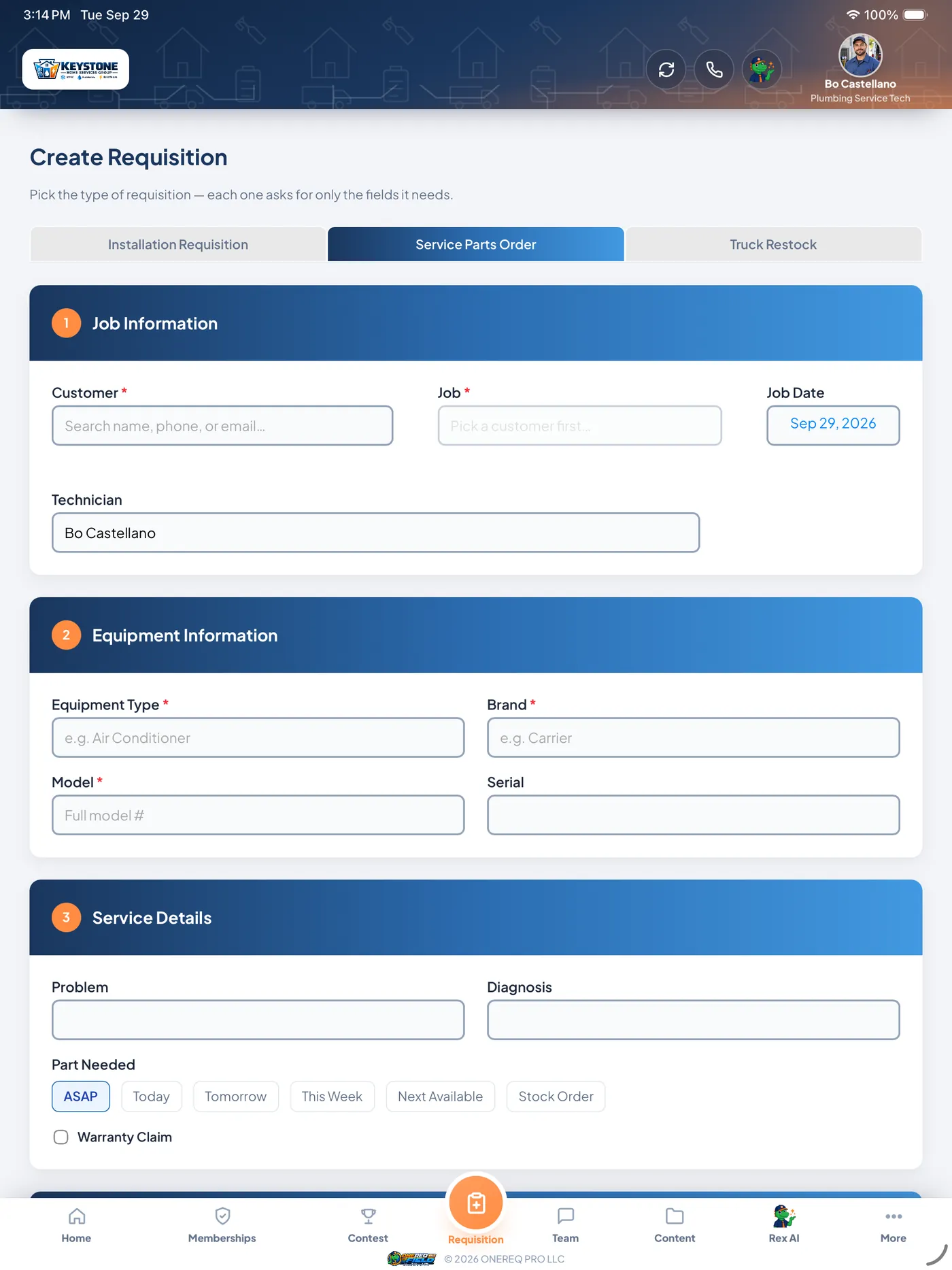

The part you need is probably on another truck.
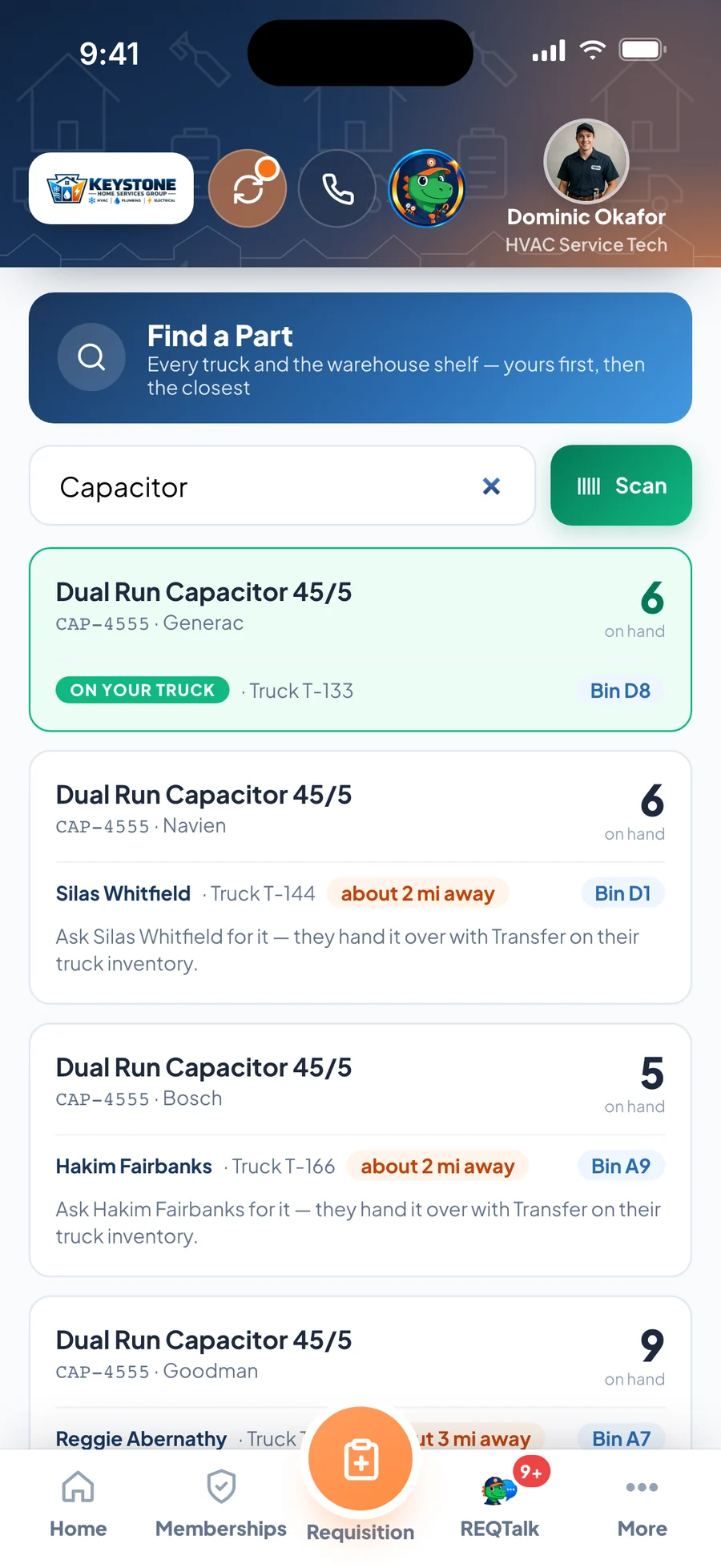
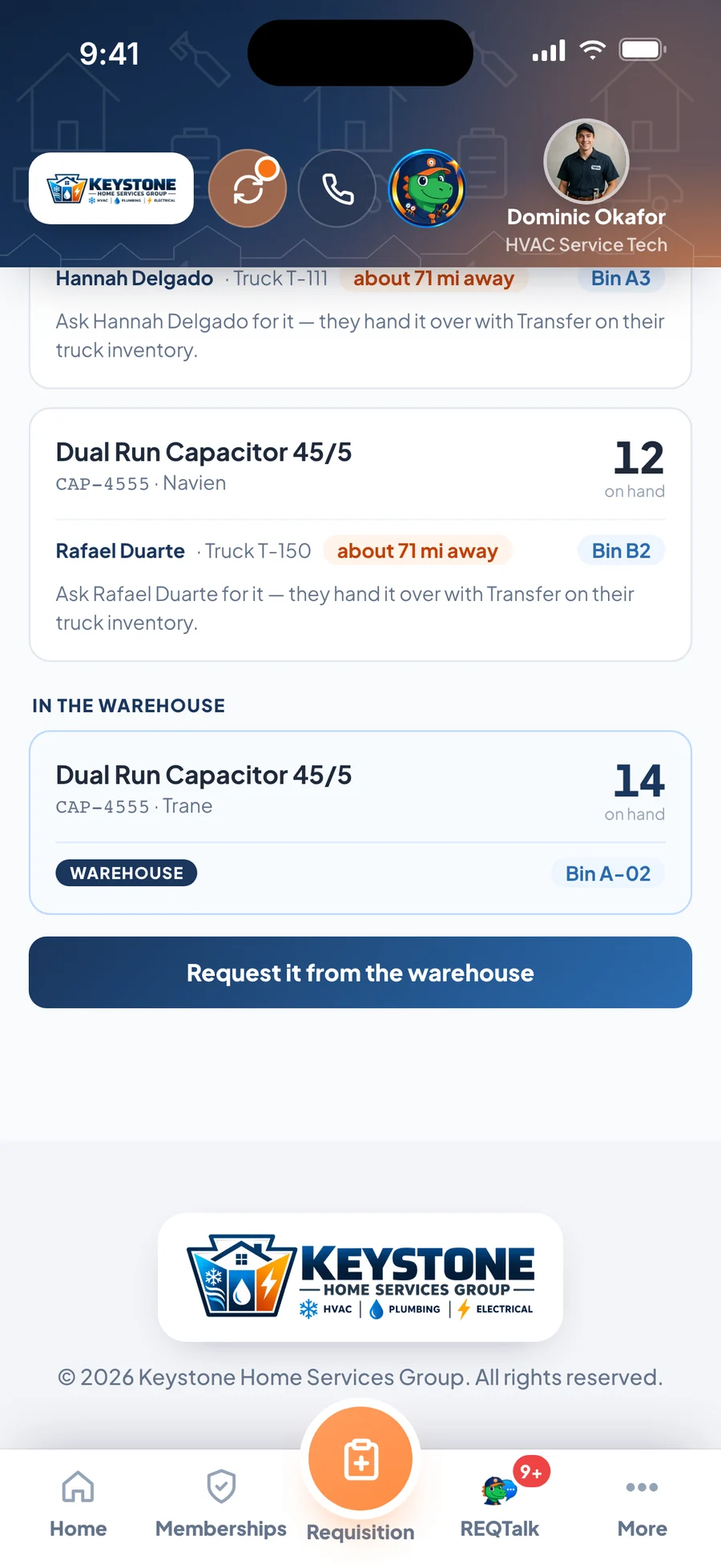
Before anyone drives to the supply house or pays for a rush order, search every truck in the company and the warehouse shelf in one go. See which truck is closest, then the tech who has it hands it over.
- 1Find itType a part number or description, or scan the barcode, from ONEREQ PRO Field or the dispatch board. Every truck that has it shows up with the tech, truck number, bin, how many are on hand and, when location sharing is on, about how far away it is right now. Your own truck comes first, then the closest.
- 2Hand it overThe tech who has it taps Transfer, picks who it’s for and how many. It comes off one truck and onto the other right away, logged on both. The office and warehouse can move stock off any truck.
- 3Or requisition it from the warehouseThe same search shows what’s on the warehouse shelf, with the bin and how many. The tech puts in a requisition for it right from ONEREQ PRO Field, and the warehouse fills it from the shelf or orders it.
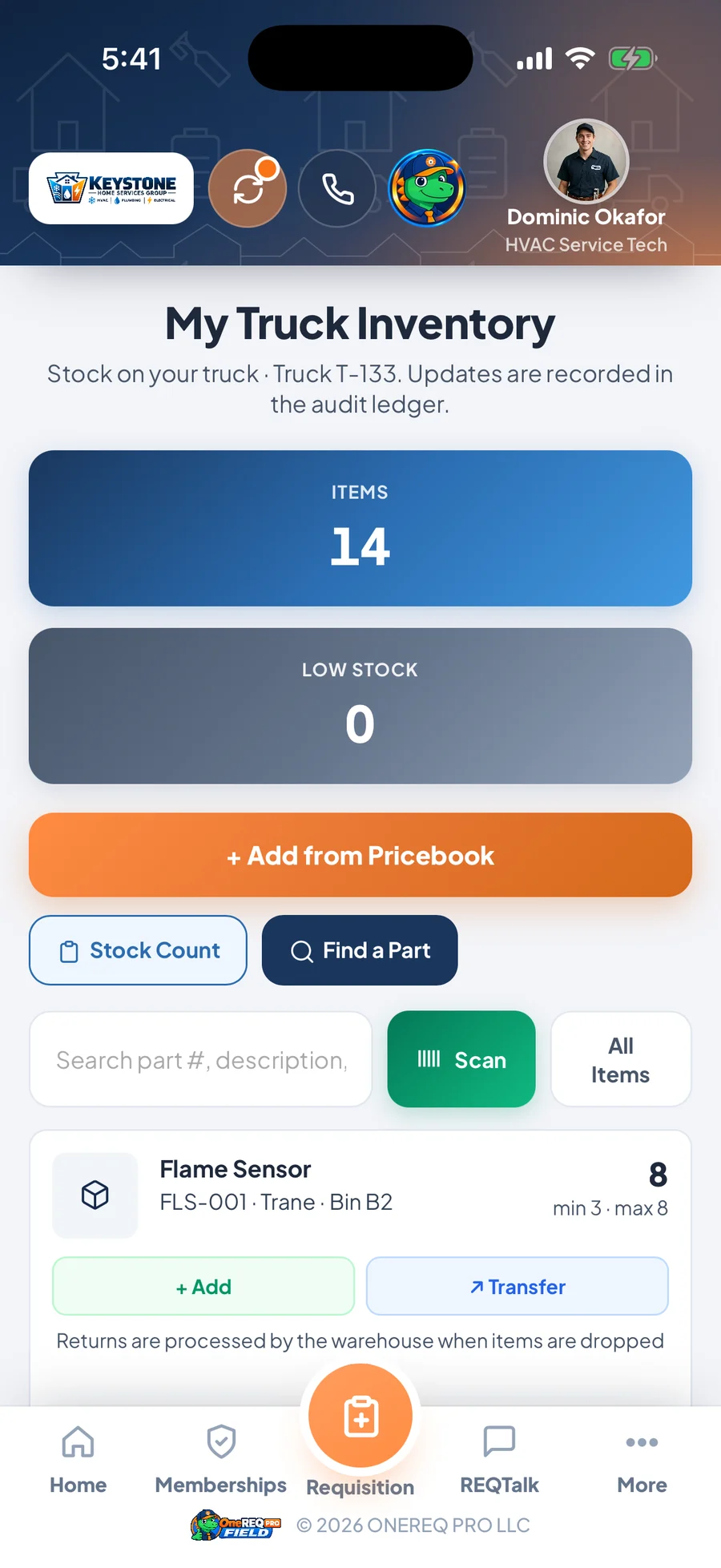
Truck stock stays in every plan. Pro is the warehouse.
Truck Inventory — truck stock, min/max, parts used on a job, barcode scanning and low-stock alerts — is included in every plan. Warehouse Pro adds the warehouse side, with the workflow features below, for shops that actually live in their warehouse.
Warehouse stock, tracked like a truck
Every shelf part gets the same tools as a truck: minimum and maximum, a bin you can rename or move, counts, a full stock history and the stock value. Export it to CSV whenever you need it.
Receive it straight onto the shelf
Link each PO line to your price book and receiving a stock order puts the parts on the warehouse shelf, or on the truck it was ordered for, and the screen says which. A line that’s already been stocked is never added twice.
Warehouse low-stock alerts
When a shelf part drops to its minimum, the warehouse team gets one bell alert that opens straight to the low parts, with no repeats until it’s restocked. Staging a truck restock is refused if the shelf is short.
Vendor-managed inventory
Keep each VMI vendor’s catalog in the system: your negotiated prices, their part numbers, your part numbers and bin numbers. Scan a bin when parts are used and the line lands on that vendor’s draft PO at your price, with the material cost on the job when you name one.
Import the vendor’s price and bin list
Upload the vendor’s CSV, preview it, then apply. Rows are matched by vendor part number, a blank cell never wipes a value, and a price that doesn’t make sense is flagged with its line number instead of being guessed.
Returns that update stock
Every return keeps its vendor, linked PO and job, RMA number, reason, parts and a status timeline. Mark it sent to the vendor and the parts come off the truck or shelf they came from, exactly once. Record the credit when it lands.
Receive Goods PDF/image attachments
Vendor invoices, packing slips, photos attached per row on every receipt. The vendor’s invoice number typed here goes on the bill.
Cross-truck inventory visibility
Manager sees "Truck A has 3, Truck B has 0" before reordering. Reroute the right tech instead of paying for an expedited part. Truck-to-truck transfers with audit trail. When a truck changes drivers, you choose whether its stock stays with the truck or goes with the tech.
Cross-truck Parts Locator
Search a part number or description, or scan it, from ONEREQ PRO Field or the dispatch board. Every truck that has it shows the tech, truck number, bin and quantity, with your own truck first. The tech who has it transfers it straight to the truck that needs it.
Stock count + review queue
Scan-each or manual count. Shrinkage on any SKU ≥ $50 (or your high-value categories) is flagged for review and fires an urgent email so warehouse signs off before the count posts.
Print Labels (warehouse-only)
Barcode/QR labels for trucks, warehouse parts and bins, VMI bins, install items and job materials — all printed from the warehouse, never the ONEREQ PRO Field app. PDF output, one click.
Canonical SKU + image catalog
The same part shows the same photo on Truck #101, Truck #200, and the warehouse shelf. SKU-to-image is canonical; only location (truck_number + bin) varies per row.
Reliable barcode lookup
Multi-column match — barcode + part-number + vendor-part-number on truck inventory, and barcode + UPC + code on the pricebook. The label printer can default to encoding the part number; lookups still resolve.
Truck stock comes through the warehouse
A tech’s add from the price book becomes a stock PO for their own truck. The parts go on the truck, and on the stock ledger, when the warehouse receives that PO — never before.
Auto restock
Choose it in warehouse setup: off, every part with a minimum, or only the parts you pick. Each night, those parts at or below their minimum, on a truck or on the warehouse shelf, land on a draft purchase order per vendor, for the warehouse to review and send. A part already on an open order isn’t ordered twice.
Truck restock, start to pickup
A Truck Restock requisition names the truck it’s for. The warehouse fills it from the shelf or orders it on a stock PO for that truck, never both. When it’s staged, the tech gets a push. In the Field app they see what’s ready, tap “Picked up”, and the parts go onto the truck’s stock history. Not picked up in 48 hours? The warehouse and dispatch get an alert.
Inventory Remove lockdown
Stock only leaves a truck via (a) warehouse-processed returns, (b) a tech-to-tech transfer with audit trail, or (c) job consumption. No silent decrements. No tech-app Remove button.
Every received PO becomes a vendor bill
The bill gets its own number, the vendor’s invoice number and a due date from the vendor’s terms. A permit fee’s bill carries the permit number. Vendor statement matches you tick off are saved.
What ships in every plan
Truck Inventory: truck stock with min/max levels, parts used on a job coming off the truck and onto the invoice, barcode and QR scanning in the Field app, and low-stock alerts — when a part drops to its minimum the warehouse gets one bell alert and the tech gets a push, with no repeats until it’s restocked. Warehouse Pro is the add-on that layers the warehouse on top — receiving, returns, restocking trucks from the warehouse, stock-count review, the Parts Locator with tech-to-tech transfers, and vendor-managed inventory.
Restock the trucks without the guesswork.
A short clip from the real platform. The full walkthrough comes with your live demo.
One inventory dataset.
Every workflow connected.
Receiving, returns, restocking trucks from the warehouse, stock-count review, the cross-truck Parts Locator with tech-to-tech transfers, and vendor-managed inventory. Available on any plan, priced in your demo. Purchase orders are on every plan without it.
Click through Warehouse & Requisitions yourself.
Real screens from our demo company, step by step — no sign-up.