Electrical sales is a category.
So we built it one.
An interactive in-home presentation for electrical contractors. Panel upgrades, surge protection, whole-home generators, EV charger installs, smart panels — full electrical catalog, real images on every step, financing flow, safety quiz, customer contacts.
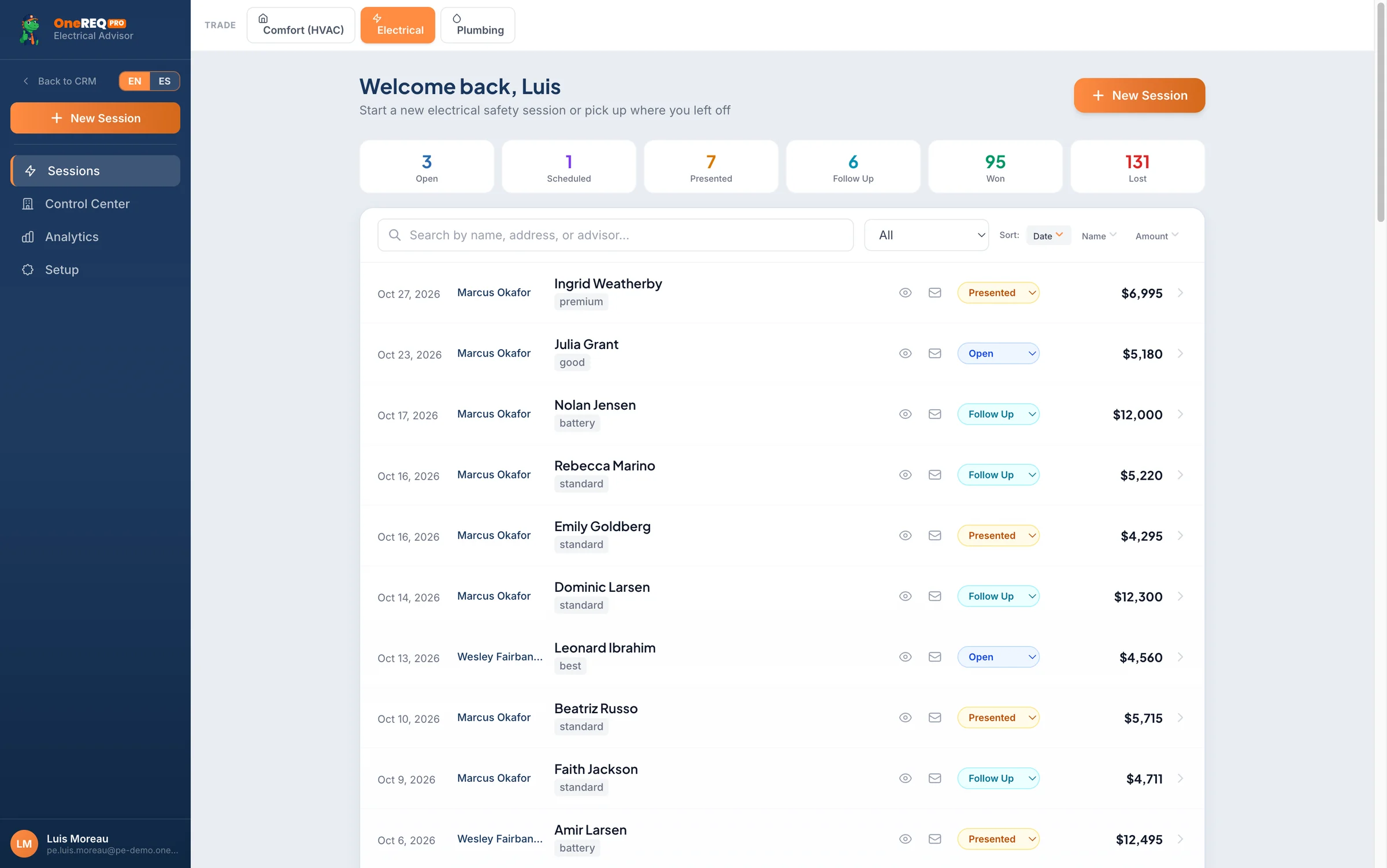
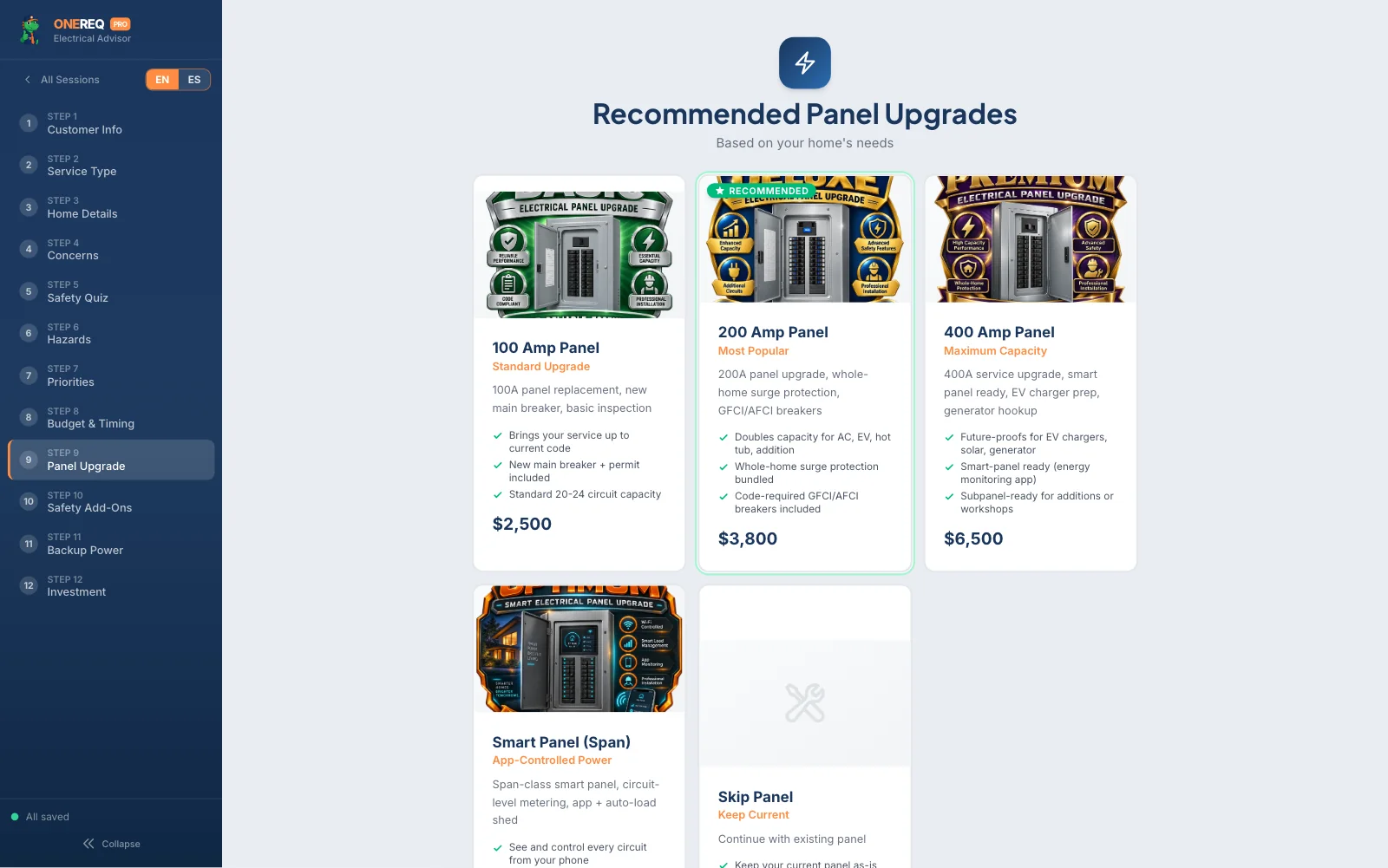
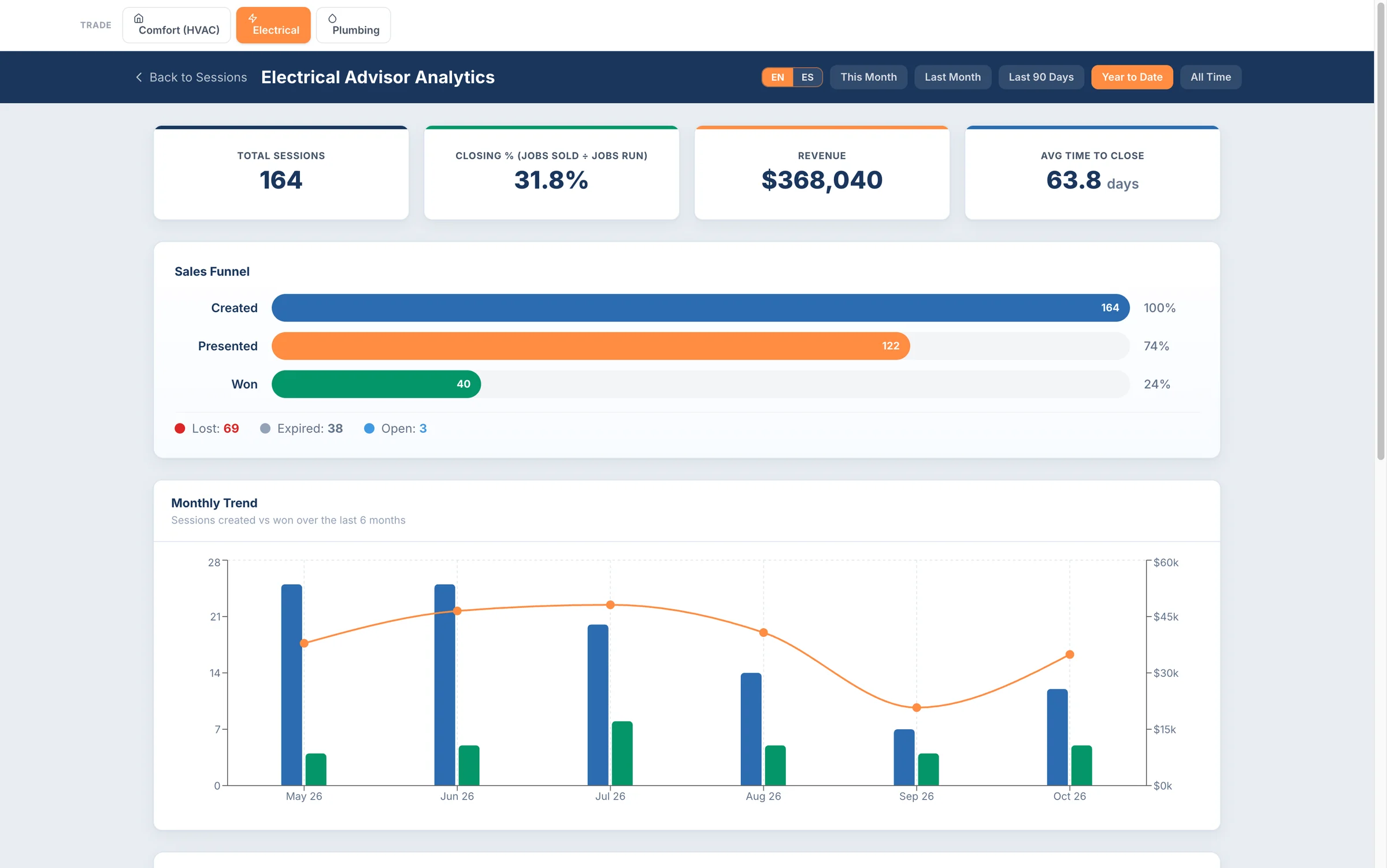
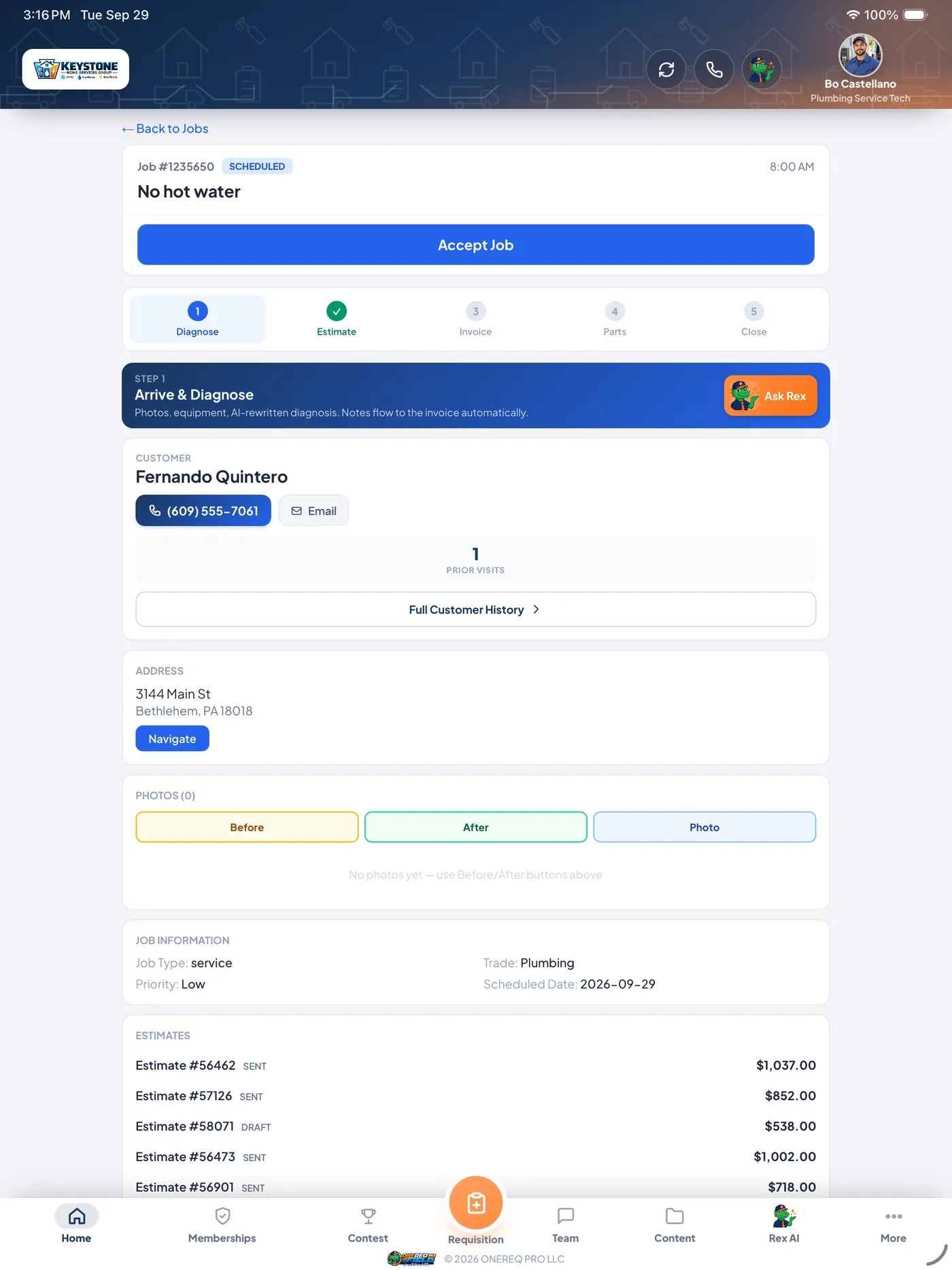



Show the options. Decide together.
Rex walks through an Electrical Advisor presentation: the homeowner’s concerns, panel upgrade options and what matters most to them.
Subtitled.
Six in-home presentations. Built for electrical.
An interactive in-home presentation that you or the homeowner can complete as you go: real images on every step, financing flow, safety quiz, customer contacts, and signing on the iPad — every catalog and prompt tuned for electrical work.
Panel Upgrade Presentation
200A → 400A upgrades, sub-panel additions, smart panel catalog. NFPA fire-safety urgency built into the script: 46,700/yr home fires from electrical failure.
Surge Protection
Type 1/2 SPD presentation. NEC 2023 code-mandated demand. Whole-home + point-of-use.
Whole-Home Generator
Sizing tool. Generac / Kohler / Cummins catalog. Power Play guided-sales process (per Generac's SEC filings on guided-sales tools).
EV Charger Install
Level 2 charger presentation. IRA tax-credit guidance. Often pairs with a panel upgrade — natural cross-sell. Tesla Wall Connector, ChargePoint, Wallbox catalogs.
Span Smart Panel Catalog
Whole-home energy management. Higher-ticket cross-sell on top of panel upgrades. Lumin smart loads, app-controlled circuits, time-of-use scheduling.
Smart-Water Shutoff Catalog
Moen Flo, LeakSmart, Phyn — smart-water leak detection products the electrical advisor can present. Cross-sells where a panel hits the laundry-room subpanel.
NEC Reference (ONEREQ PRO Field)
Built-in NEC code reference on the iPad — junction boxes, conductor ampacity, GFCI requirements. The advisor sells what the tech can install to code.
Digital Signature Capture
Sign in person on the iPad, or send an email signing link to the customer's spouse. Real terms, warranties, payment authorization. In states that require a Home Improvement Contract, the customer signs your company’s own contract right after the proposal, and the signed PDF is saved to the customer’s files.
Auto Commission Queue
The moment the customer signs, the commission engine writes the entry into the office’s Pending Commissions review queue — tied to the financing plan, discount, and signed total. It shows up right away as a pending commission in the advisor’s My Earnings tab in ONEREQ PRO Field.
Tier-Based System Selection
Good / Better / Best — basic panel, panel + surge, panel + surge + smart-panel. Customer sees three real options. Rex reports which tiers each person offers and lists every call where no options were offered.
Breaker-to-Panel Check
Add a breaker and the advisor checks it against the panel recorded at the property. If the panel’s maker doesn’t list that breaker for it, you get a warning with the breakers that are listed and where that list comes from. A warning, never a block — the electrician makes the call.
Generator → Transfer Switch
Pick a generator and the advisor shows the transfer switches its maker pairs with it — Generac, Kohler, Champion and Briggs & Stratton — with the source for each pairing.
One-Click Sold
Customer signs → install job created → the new panel or generator added to the customer’s equipment records → draft requisition of what was sold, for the seller to review and submit → permit created (Professional and Enterprise) → rebate applications filed → install invoice raised from the signed proposal, with a deposit due if you require one → commission recorded. All from one signature.
Prices Lock When the Customer Sees Them
The first time you tap Present in the home or email the proposal, its prices lock. A price-book change the next morning doesn’t move them. Updating to today’s prices is a deliberate step on an unsigned proposal that shows old against new first, and a signed proposal never changes price.
Sales Manager Analytics
Advisor leaderboards, closing % counted by jobs run, average ticket, financing mix, pending vs paid commissions. Click any advisor to see their pipeline.
An in-home sales tool built for electricians
Until now, electricians inherited a presentation flow built around other trades — or had to buy a separate iPad app and re-key everything. The Electrical Advisor ships a catalog, a safety script, and a financing flow built from the ground up for panel upgrades, surge, generators, EV, and smart-panel work.

Same UX. Electrical-specific catalog.
A purpose-built electrical catalog — your preferred suppliers + NEC reference — with NEC-aware safety prompts and panel-upgrade pricing logic. Per-tech trade gate routes each electrician straight into Electrical; nothing from other trades clutters the screen.
See all trades →Electrical Advisor
Electrical only. Per-tech trade gate; each tech routes to their assigned trade only. 2 sellers included, more as your team sells.
Add the other trades any time
If your shop runs more than one trade, the All-Trade Sales Suite bundles all three advisors. 2 sellers included, more as your team sells.
Click through the Electrical Safety Check yourself.
Real screens from our demo company, step by step — no sign-up.