Truck Inventory That Audits Itself
Stop wondering where your parts went. Every truck, every tech, every part — tracked the moment it leaves the shelf, deducted the moment it goes on a job, reordered before it runs out. Counts that take 20 minutes instead of two days.

Stop Losing Parts. Stop Losing Money.
The average HVAC contractor loses 4 to 7 percent of parts inventory every year to shrinkage, miscounts, and uncharged warranty work. ONEREQ PRO closes the loop.
The Math: It Pays for Itself in Month One
Industry-average shrinkage for a residential service contractor is 4–7% of truck inventory per year. Add the cost of "we ran out at the customer's house" truck rolls and the number goes up fast. Here's what a typical 10-truck shop is actually losing.
Out the door, every year
10 trucks × ~$8,000 stock per truck = $80,000 total on the road
4–7% annual shrinkage = $3,200 – $5,600
2–3 wasted truck rolls/mo @ $50–$100 = $1,200 – $3,600
$4,400 – $9,200 / year lost
Cost of Truck Inventory
Up to 10 trucks · $199/mo
11–25 trucks · $349/mo
26+ trucks · $499/mo
$2,388 / year (10-truck shop)
Back in your pocket
Losses today · $4,400–$9,200/yr
Truck Inventory cost · $2,388/yr
Net savings · $2,000–$6,800/yr
Pays for itself in month one
Numbers based on industry-average shrinkage rates (BLS & HARDI surveys) and typical residential HVAC truck-stock value (~$8,000/truck). Your numbers will vary — book a demo and we'll model your fleet specifically.
Every Movement, Logged Forever
Every part movement writes a permanent record — job use, restock, truck-to-truck transfer, count adjustment, return, damaged. You can prove where every part went and who touched it last.
Built for the Way Techs Actually Work
Every workflow lives where the tech already is — on the job, on their phone, in the truck.
Per-Tech Truck Stock
Every technician gets their own truck inventory tied to their login. Photos, vendor part numbers, unit cost, lead time, and reorder thresholds live on every line. Nobody asks "is this on Mike's truck?" again.
Auto-Deduct on Job Use
Tech adds a part to a job invoice — the truck decrements automatically. Delete the line and the part comes back. No double-entry, no end-of-day reconciliation, no "I forgot to mark it used."
Stock Count in 20 Minutes
Tech walks the truck Friday afternoon, scans or types actual counts. Any discrepancy gets flagged with the tech's name attached — so finance knows exactly what to investigate Monday morning.
Low-Stock Dashboard
Manager view groups low-stock items by part (across the whole fleet) or by truck (so you know whose van is empty). Restock cost shows next to every line.
Replenishment List
Set a minimum on each item. When a truck drops below it, the part lands on the replenishment list with how many it needs and what it costs. No more "we ran out last Tuesday."
Truck-to-Truck Transfers
Mobile transfer screen writes both sides of the move in one atomic step. No more "I think I gave Sarah that capacitor."
CSV Bulk Import
Migrate from a spreadsheet (or anywhere else) in minutes. Map your columns, validate, import — the history backfills with an initial seed entry per truck.
Photos & Vendor Cross-Ref
Attach a photo to every part, link to a pricebook item, store the vendor part number and unit cost. New techs find the right capacitor on the first try.
True Margin, Not Guessed
Vendor cost, last received cost, and dealer fee roll into your real job margin — the same cost that flows into commissions and KPI reports. Stop selling jobs at a loss and not knowing.
See it on the truck.
Counting, scanning and finding parts are the three things that actually happen in a van. Here is each one, on a real truck in a running shop.
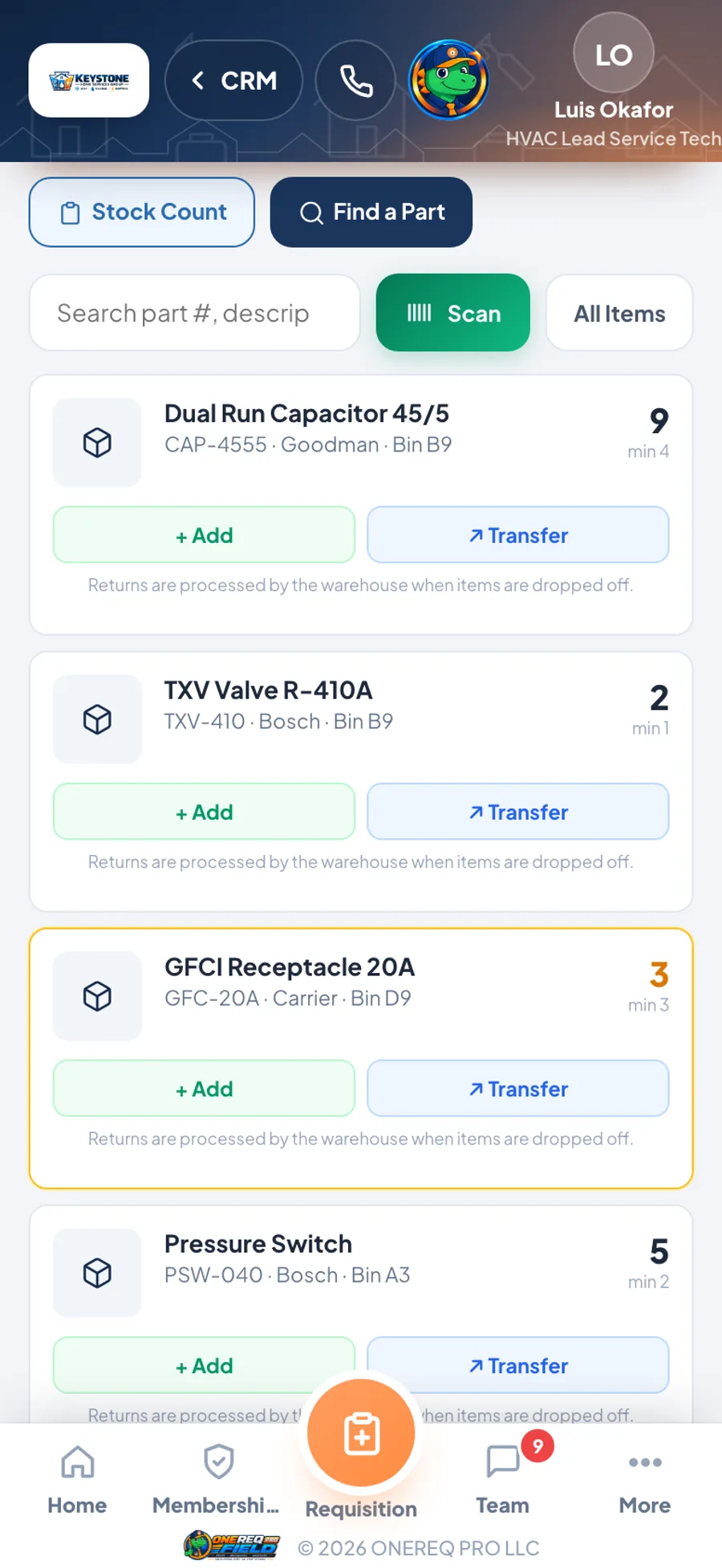
Twelve lines on Truck T-104, each with its part number, manufacturer and bin. Anything under its minimum turns amber. Add, transfer, scan or count from the van — every movement lands in the audit ledger.
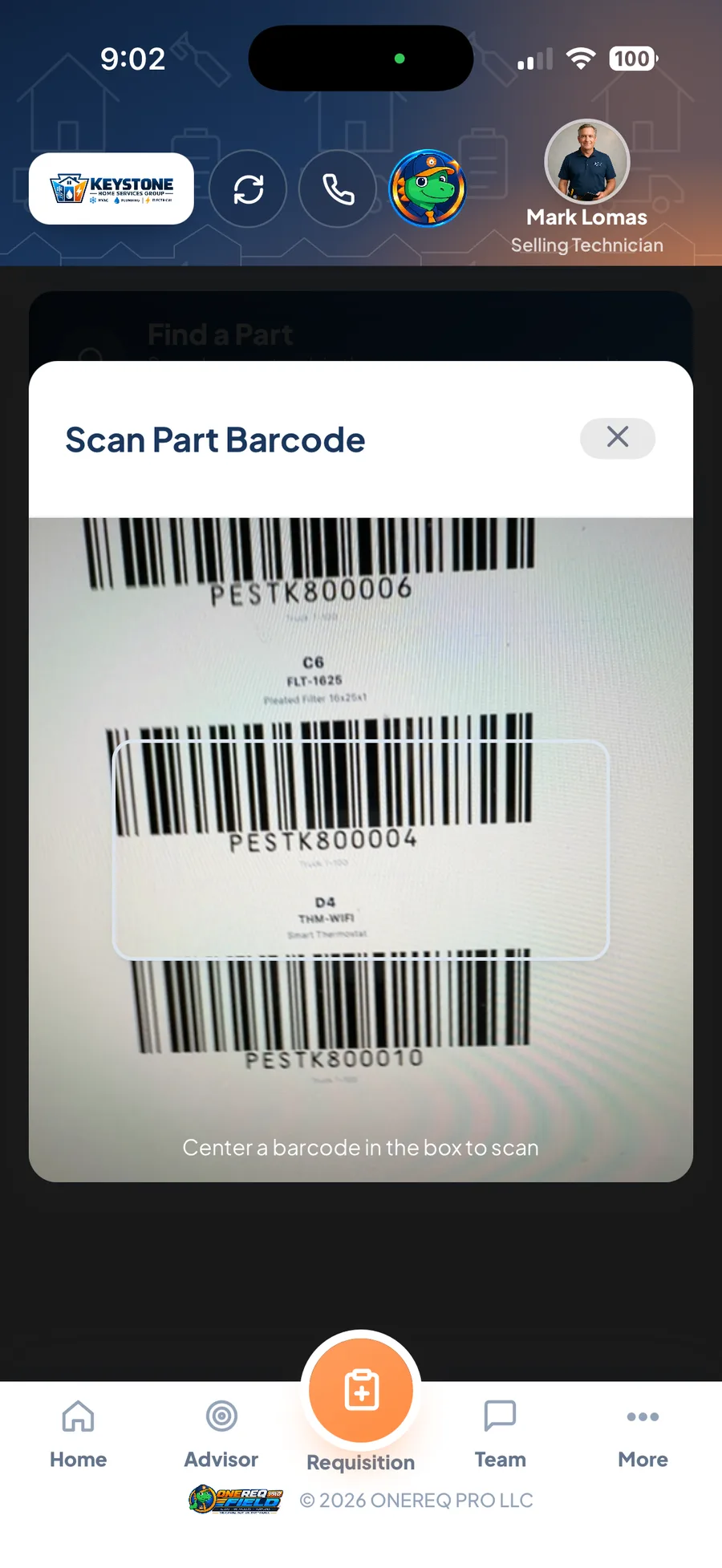
The camera reads the barcode off the bin sticker — no keyboard, no part number typed wrong, nothing written on a clipboard to key in later.
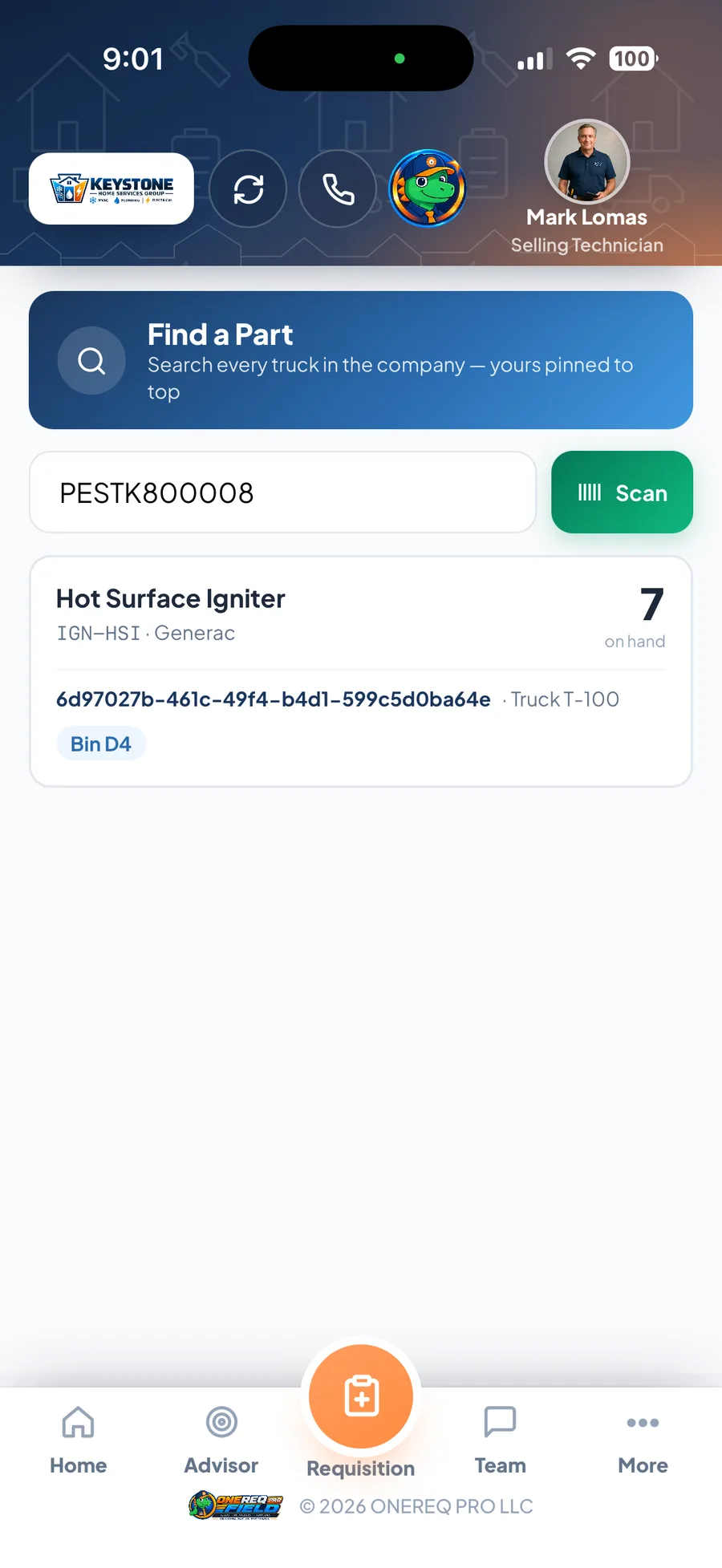
That sticker was a Hot Surface Igniter. Seven on hand, on Truck T-100, bin D4 — found from the barcode, not from ringing round the crew.
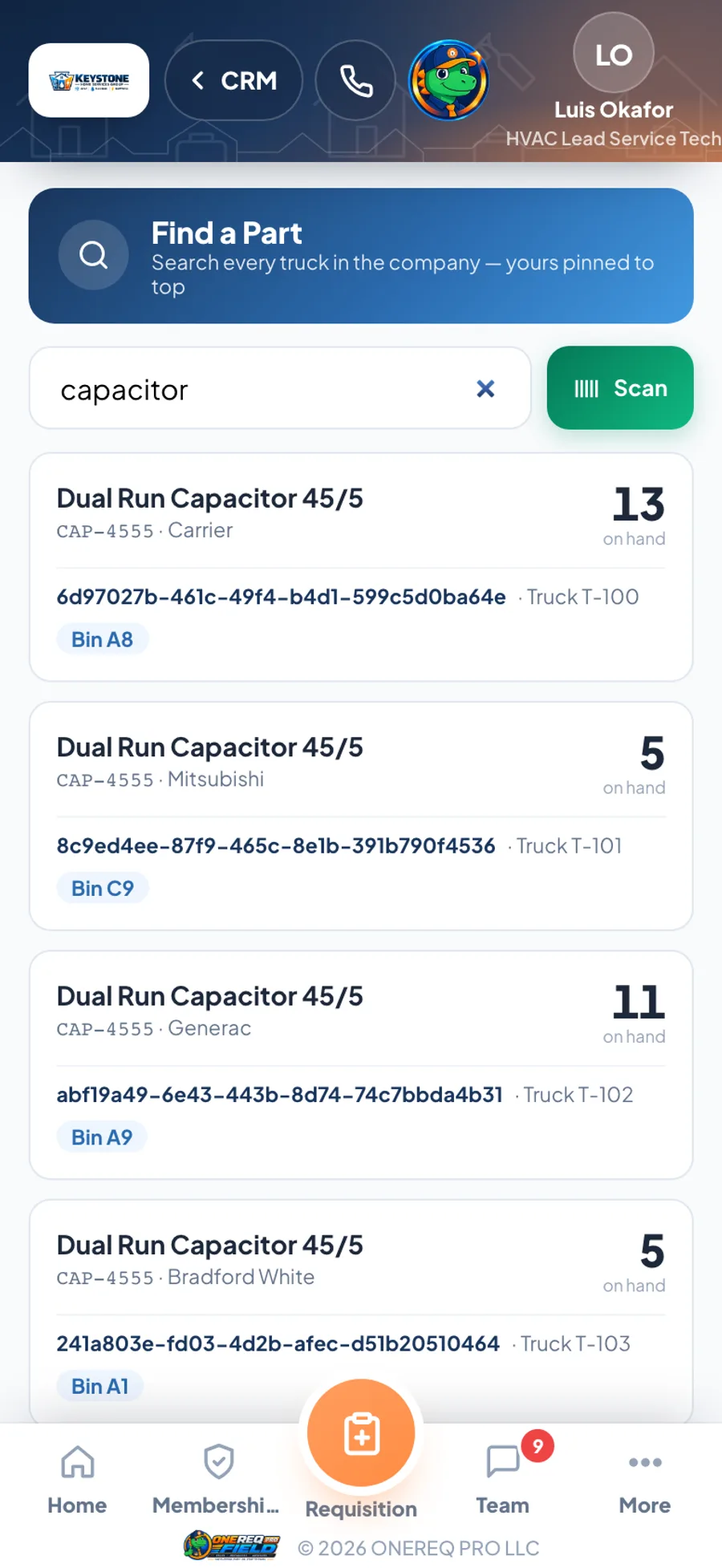
One search across the whole fleet. That capacitor is on T-100, T-101, T-102 and T-103, with the bin and the count — so nobody drives to the warehouse for a part that is twenty minutes away.
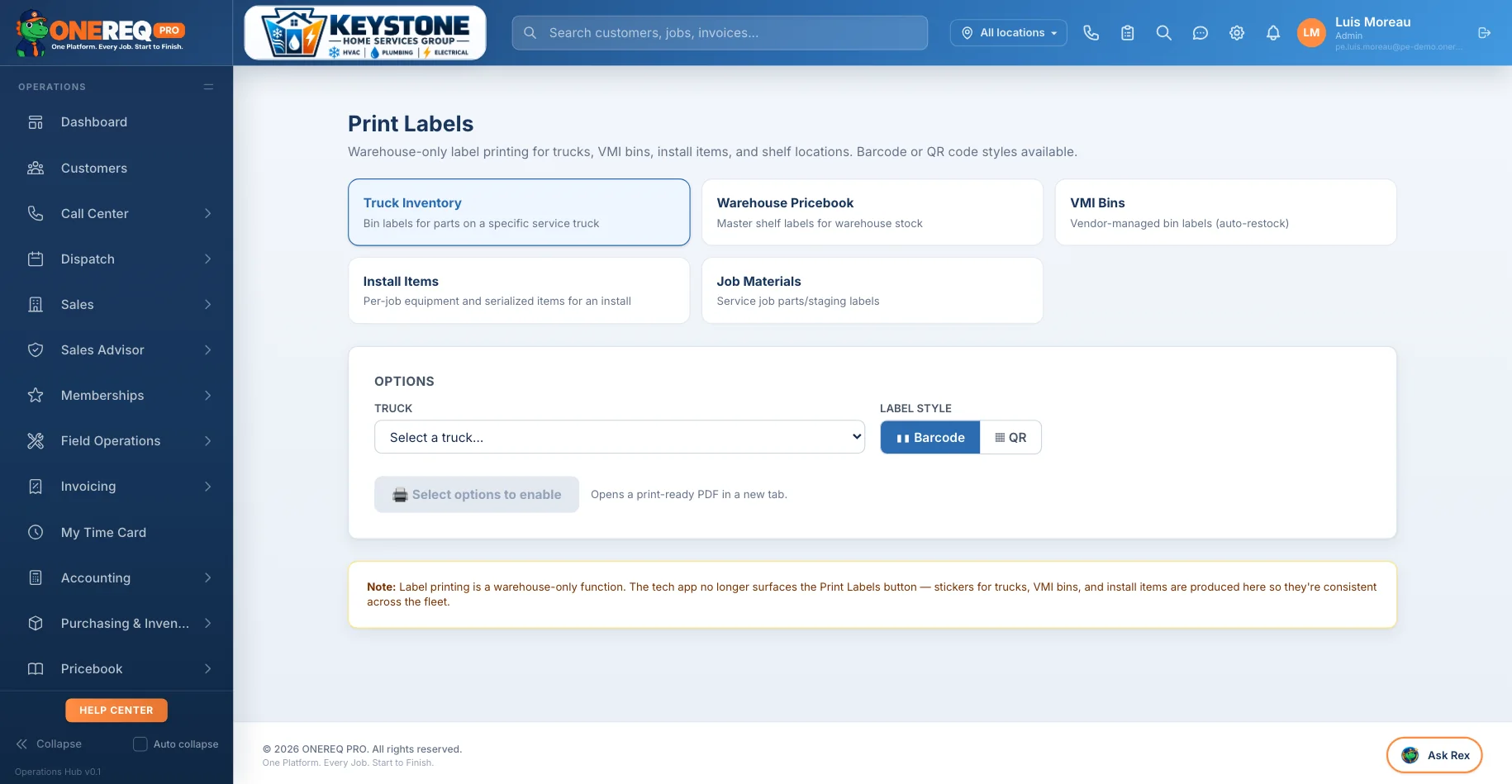
Labels for truck bins, VMI bins, install items and shelf locations — in barcode or QR — printed in the warehouse so the whole fleet is labelled the same way. Then the tech just scans.
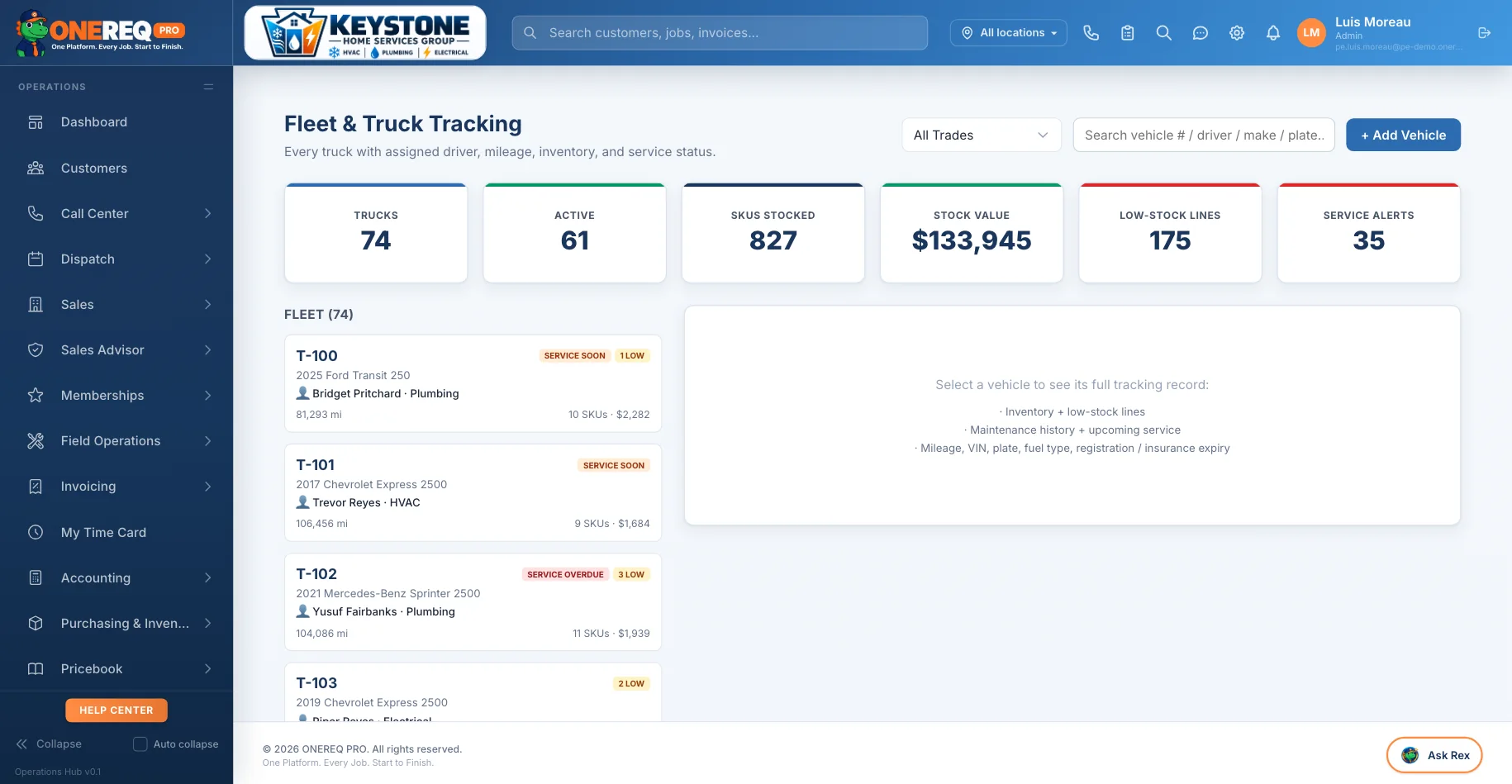
The dispatcher’s view of the same data: 74 trucks, 876 SKUs stocked, $153,784 sitting in the vans and 186 low-stock lines — before anyone asks where a part went.
Built In, Not Bolted On
Most truck inventory tools are a separate app, a separate login, and a separate monthly bill. ONEREQ PRO Truck Inventory plugs into the same platform your dispatch, invoicing, and commissions already live in — which is the only way the part you used on a job can actually deduct from the truck it left.
| The Reality | Without Truck Inventory | With ONEREQ PRO Truck Inventory |
|---|---|---|
| "Where's that part?" | Call three techs. Check two trucks. Buy a new one. | Search the fleet. See which truck it's on. Transfer it. |
| Tech uses a part on a job | Maybe it gets written down. Maybe it doesn't. | Auto-deducted the moment it hits the invoice. |
| Stock count | 3 people, 2 days, spreadsheets that never tie. | 20 minutes per truck. Discrepancies flagged with names. |
| You run out of something | Tech drives back to the shop. Or to a supply house. Job time lost. | Low-stock alert hit your phone before the tech needed it. |
| Reordering | A manager remembers. Or forgets. POs typed manually. | Nightly job builds POs grouped by vendor. One click to send. |
| "Who took the last R-410A?" | Nobody knows. Inventory shrinkage shows up at year-end. | Every movement logged with tech name and timestamp. |
| Job margin | Estimated. Probably wrong. Definitely optimistic. | Real vendor cost flows into commissions and KPI reports. |
One Login. One Source of Truth. One Vendor to Call.
See how truck inventory flows into commissions, KPI reports, and your QuickBooks general ledger in real time.
Schedule a Demo