Your marketing department.
On one screen.
Lead inbox, campaigns, reviews, social and the follow-up calls your office should be making — in the same system that holds your customers, jobs and invoices. Rex AI writes the copy and the artwork; a person approves everything before it goes out.

Lead in, campaign out, customer kept.
Marketing software usually arrives as a separate product with its own bill and its own idea of what a customer is. This one already knows.
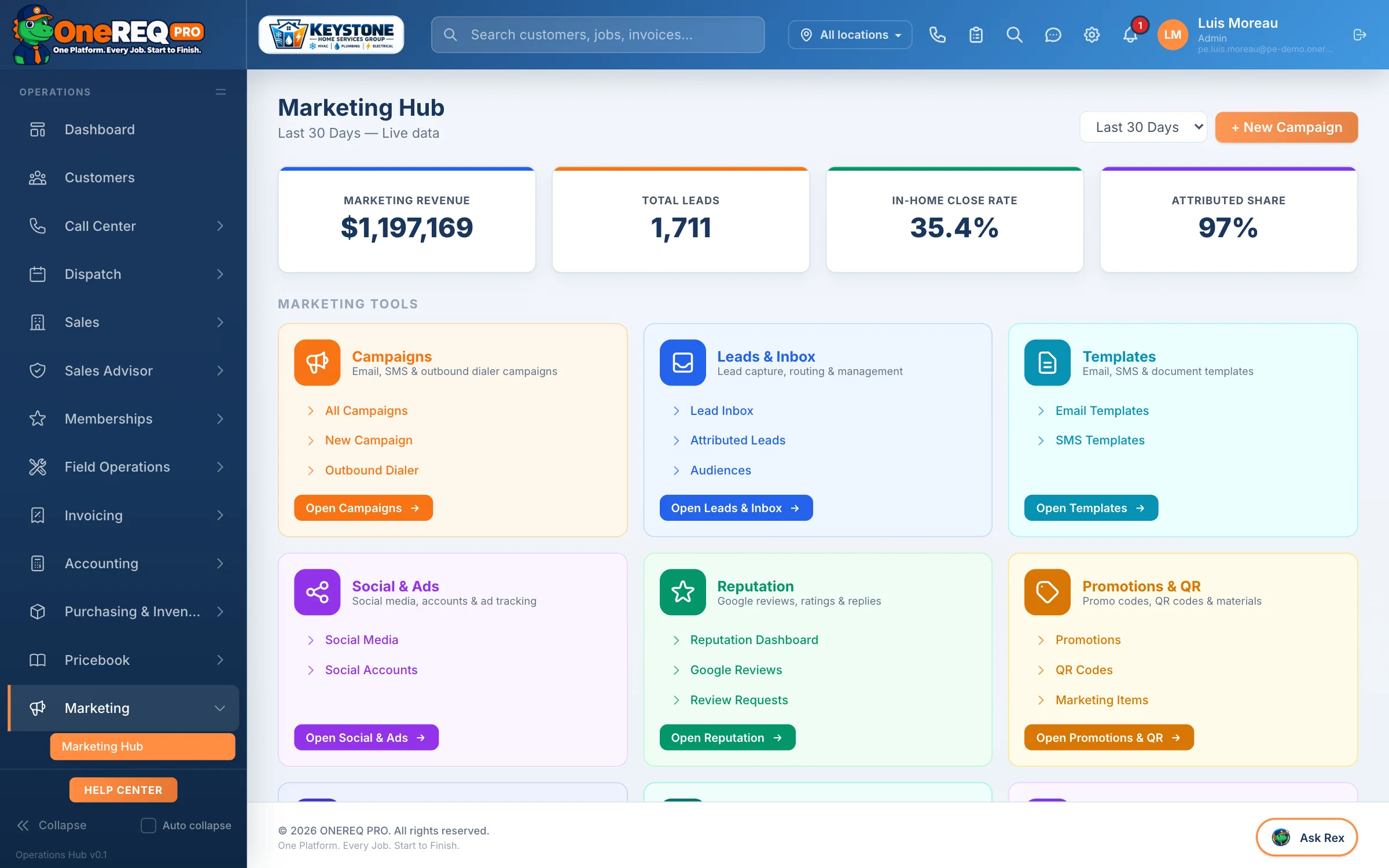
The Marketing hub: campaigns, the lead inbox, reputation, promotions, QR codes and follow-up on one screen. Not separate products with separate logins.
From the first lead to the repeat call.
Five steps, one customer record behind all of them.
1. Lead inbox
Angi, Thumbtack, Google LSA and your own website form land in one queue with the lead’s own words. Book it, mark it contacted or decline it from the row. See how Leads works.
2. Campaigns
Email and SMS to the audiences you build from your own customer list. Rex AI writes the copy and draws the artwork; you approve it. Sends and deliveries are tracked per campaign.
3. Reviews & reputation
A review request goes out after each completed job, and Rex AI drafts a reply to the public ones for somebody to read before it posts.
4. Social
One calendar to plan and write posts for your business pages. Publishing straight to the networks is rolling out.
5. Follow-up calls
Memberships about to lapse, service visits coming due and leads that went quiet, each as a call list your office works from the outbound dialer.
All of it, in the box.
What sits behind each tile on the Marketing screen.
Lead inbox & providers
Angi, Thumbtack and Google LSA connected, plus a universal receiver for any other source. Every lead lands in one inbox, and speed-to-lead alerts go to the office the moment it arrives.
Campaigns
All campaigns, a new-campaign builder and a per-recipient send and delivery log. Edit and resend.
Templates
Reusable templates for the messages you send again and again — seasonal reminders, review pushes, win-backs — plus your own.
Reputation
The reputation dashboard, review requests after completed jobs and response templates. Google and Facebook review sync is rolling out.
Social
A content calendar and connected accounts. Publishing straight to the networks is rolling out.
Promotions & QR
Promotions, a QR code library with scan counts, and printable marketing items.
Follow-up calls
Call queues for expiring memberships, recurring service reminders and lead follow-up, worked from the outbound dialer. Every call is logged against the customer.
Call center
Managed lines or your own numbers. Caller ID pulls up the customer, calls are recorded, and the office books the job from the same screen.
Copy & artwork
Pick a postcard, door hanger, flyer or social post. Rex AI writes it, makes the hero image and drops in your logo and a portal QR code.
Analytics
The performance table, geography analysis and lead quality, all drillable, with one definition per number. Reports live in Rex Intelligence.
Call them before they lapse.
Each list is a call queue with its live count. The office works it from the outbound dialer, and every call is logged against the customer.
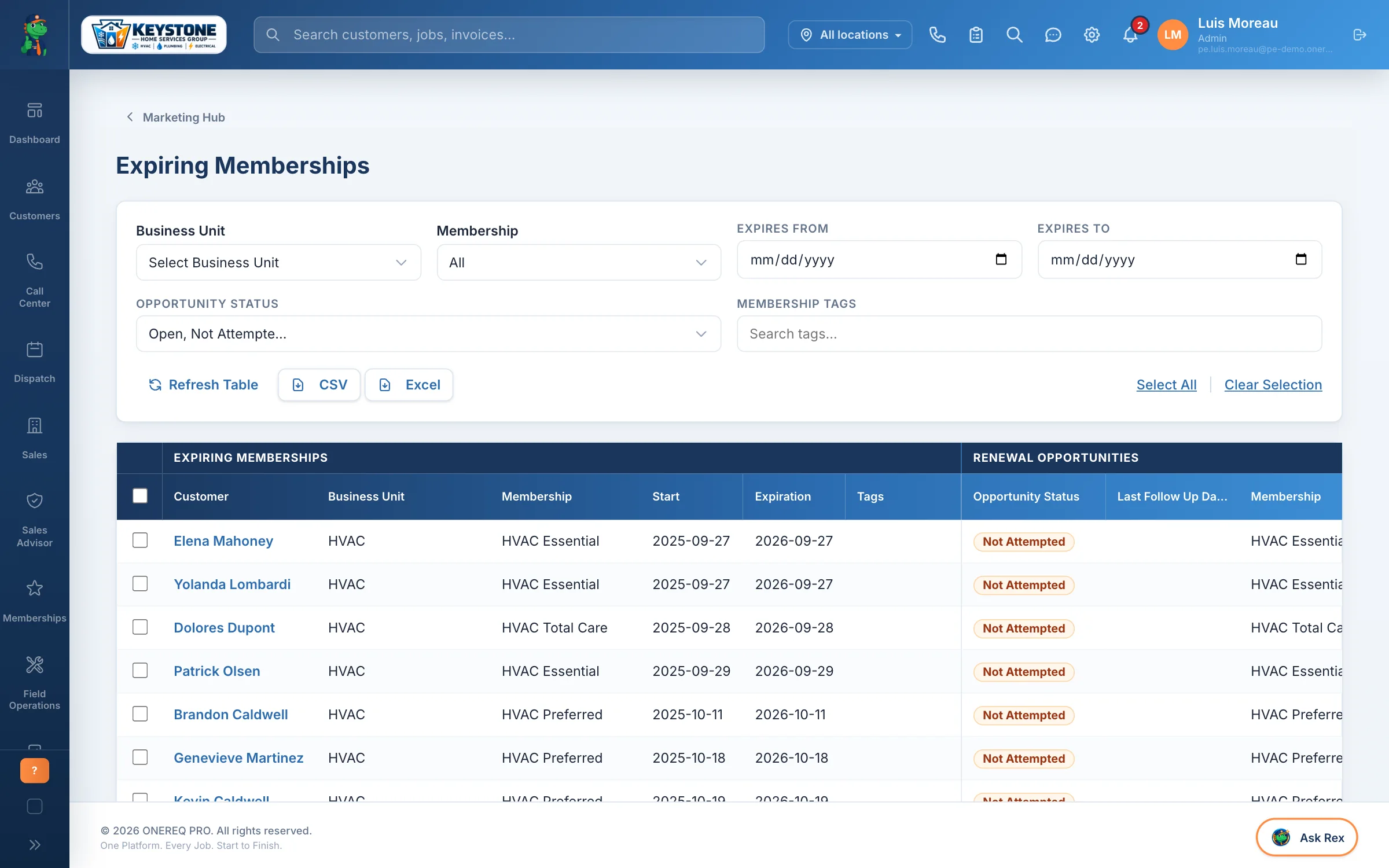
Expiring memberships
A 30-day renewal window. The office knows exactly who to call this week, and every call is logged against the membership, so re-signs become routine instead of forgotten.
Service reminders
Customers coming up on their next planned visit. Pre-book them before they call someone else: membership obligations met, customer happy, schedule filled.
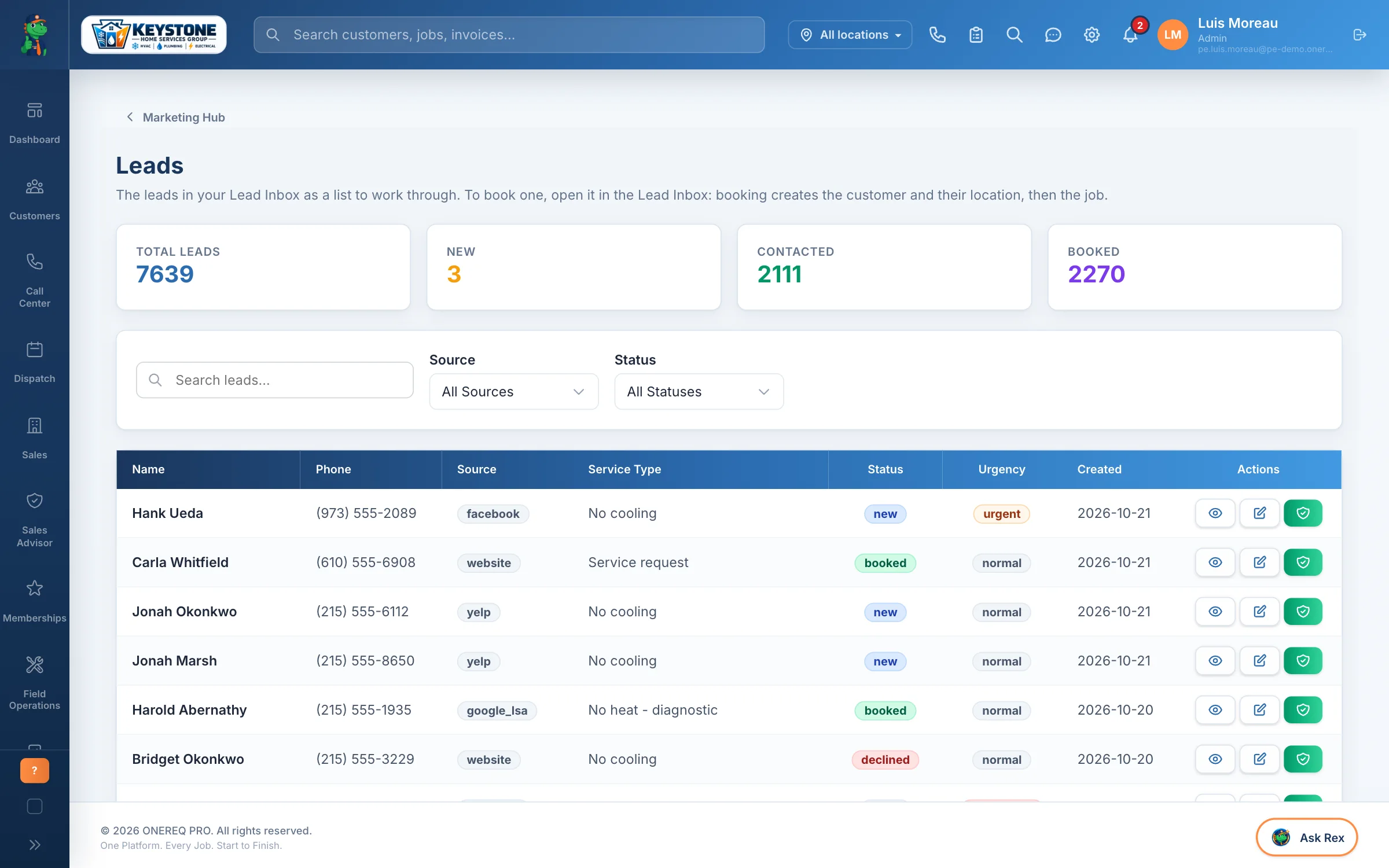
Lead follow-up
Every lead with its source. Old leads that never converted can be re-warmed, half-finished requests recovered. Booking from the list creates the customer, their location and the job.
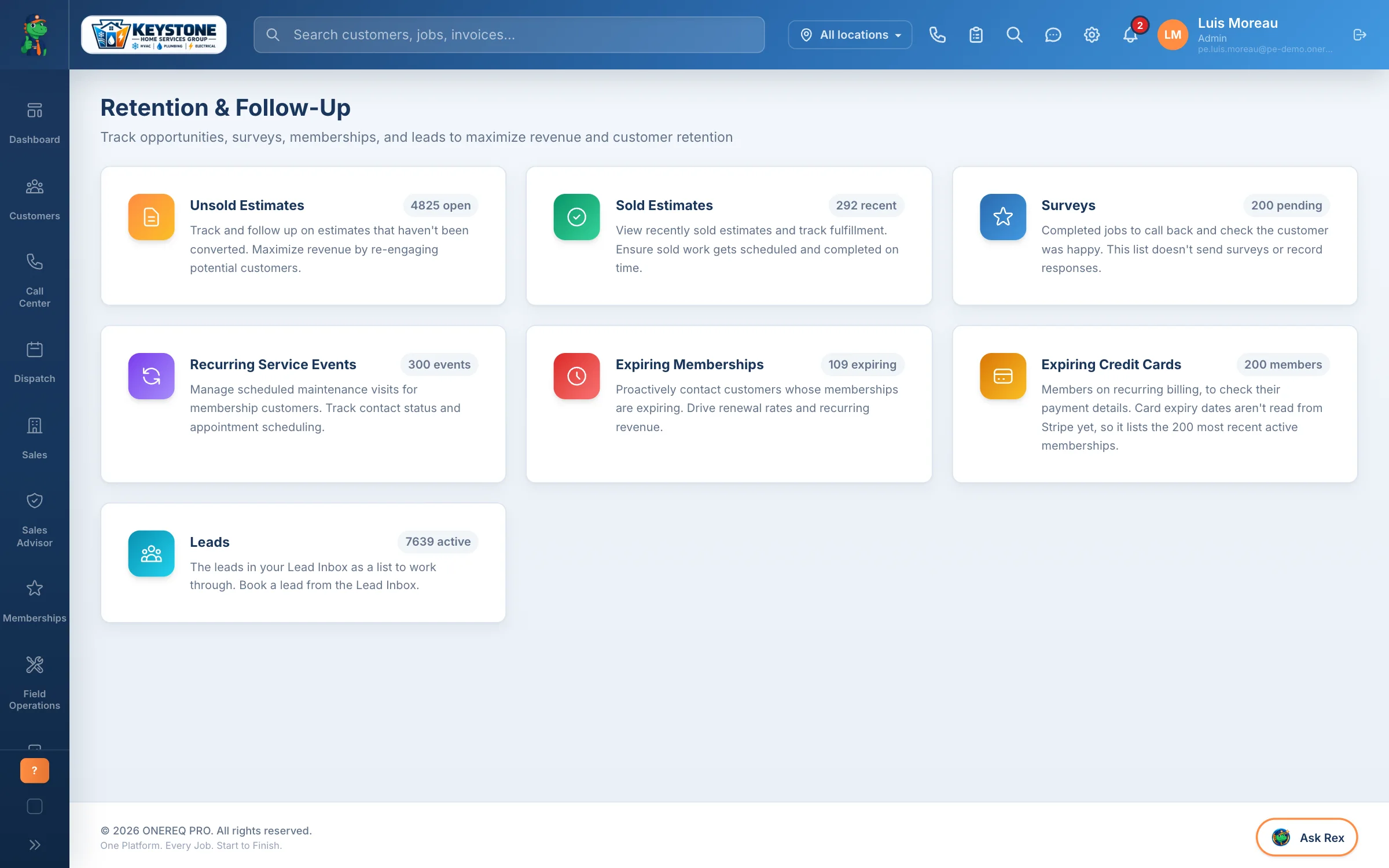
One screen for the whole office
Every follow-up list with its live count, so the office manager sees the whole pipeline at a glance instead of clicking between separate dashboards.
The sold and unsold estimate dashboards stay in the base platform. The Marketing Pro add-on is the proactive side: the lists that tell your office who to call.
Before you ask.
Marketing Pro — talk to sales
We build the add-on into your plan. Bring last month’s marketing spend and we will show you where it would land here.